DETERMINISTIC HEALTH
Enter Atlas
Your AI has
an architecture.
Atlas makes it visible.
Rules. Skills. Agents. Scripts. Checklists. Atlas reveals the system between the files—so you can see what connects, understand what is fragile and change it with confidence.
In development · Product news, not an app account.
LOCAL + GITHUB SOURCESCONNECTED MAPSSTRUCTURAL CHECKSAI REVIEW
The hidden system
Code is only the surface.
Your AI system lives across instructions, dependencies and decisions that no file tree can explain. Atlas turns that invisible structure into something your team can explore.
01 / REVEALFrom scattered files
From scattered files
to one living map.
Move through the complete system. Follow a single relationship. Isolate a workflow. Understand what a change may touch before it becomes a problem.
- Rules, skills and agents
- Scripts, schemas and hooks
- Checklists, gates and dependencies
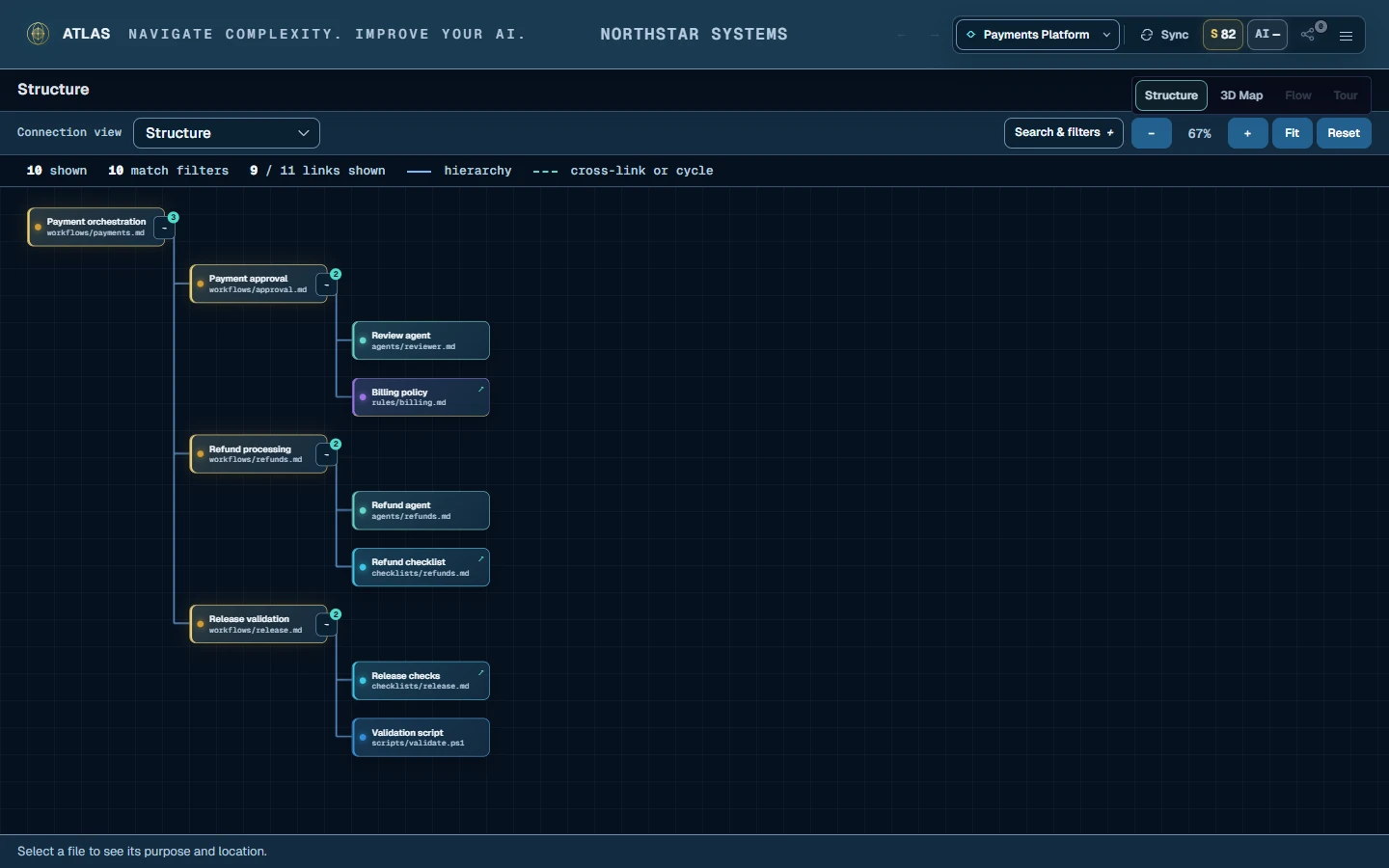
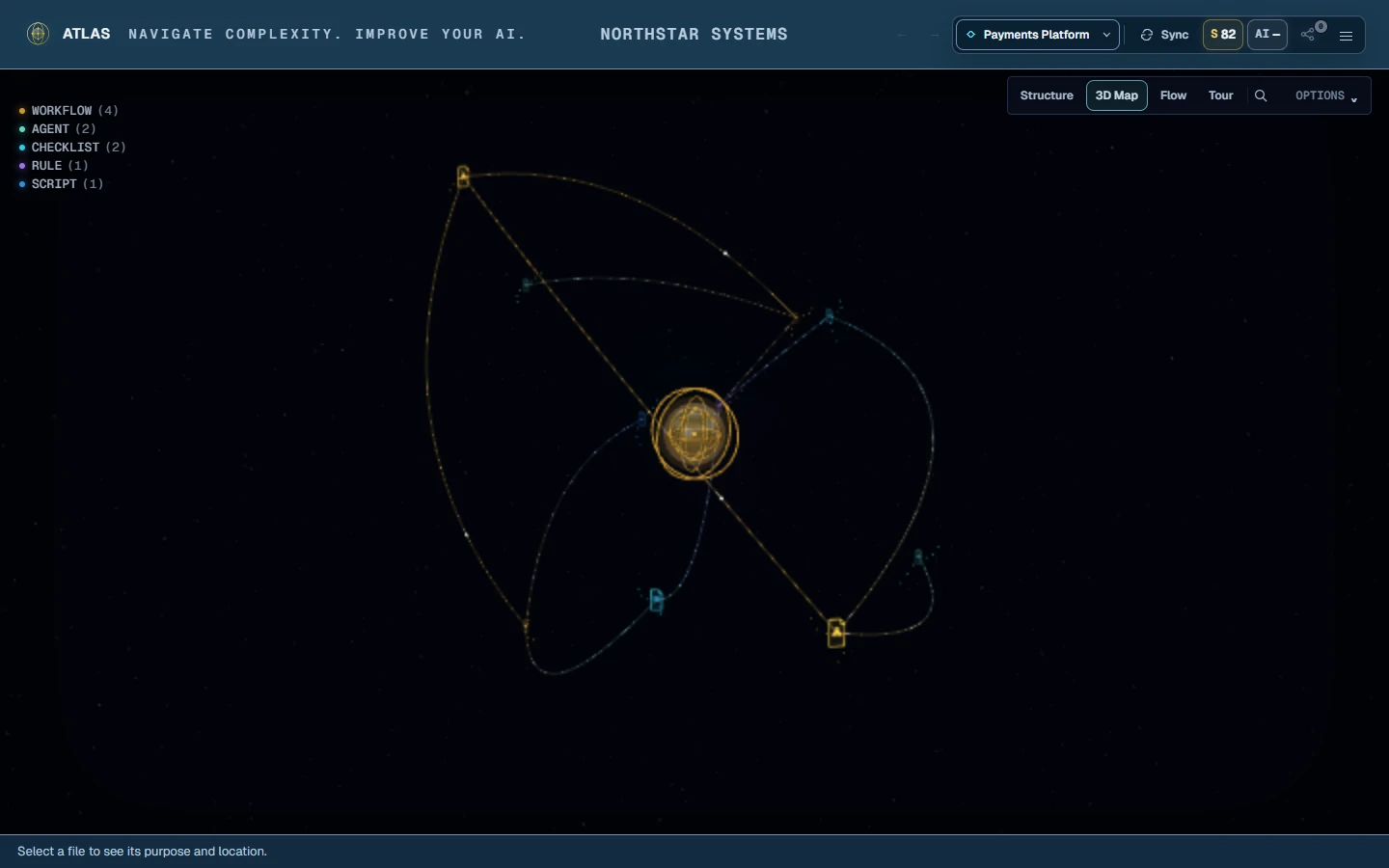
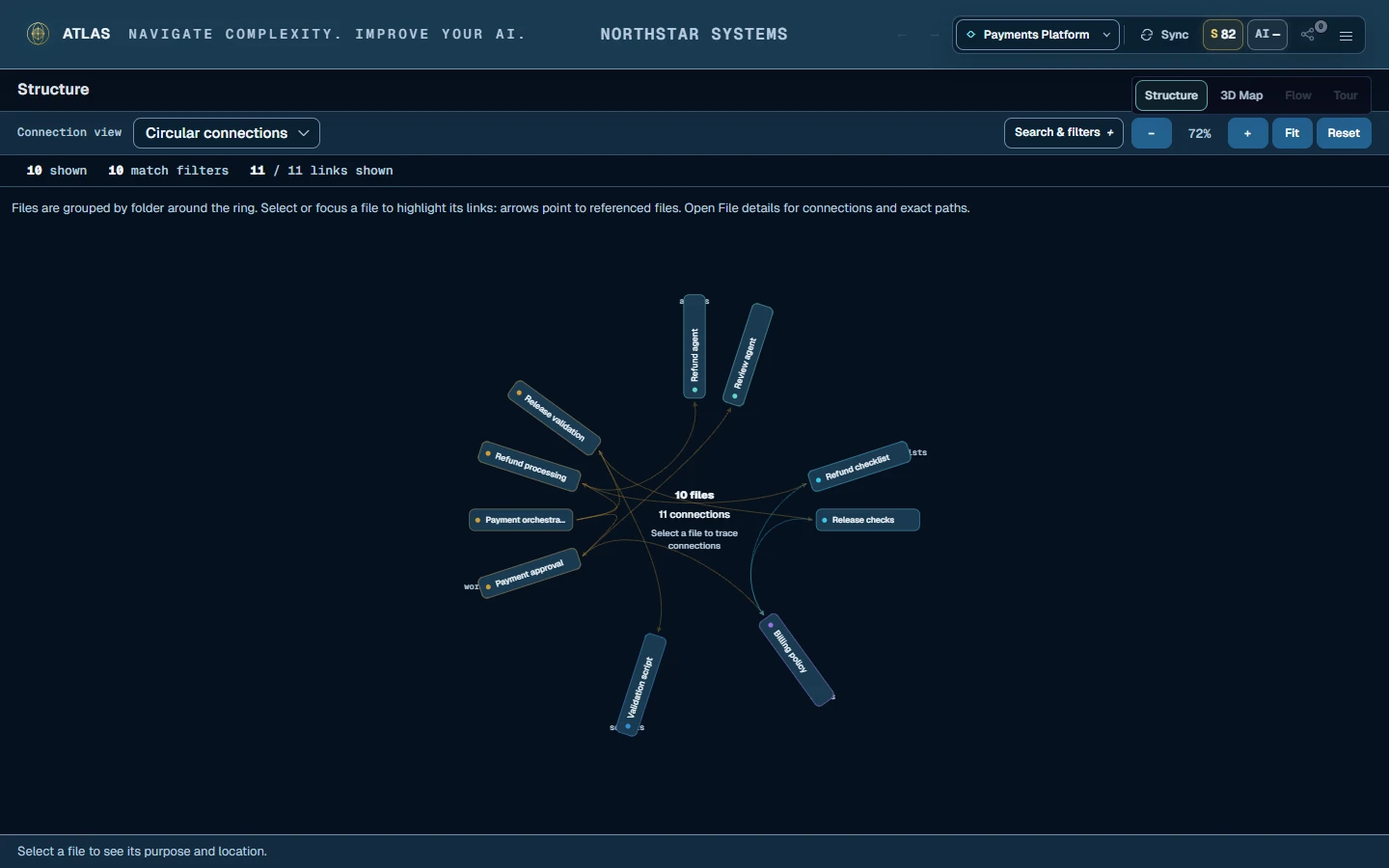
SCATTEREDVISIBLEUNDERSTOOD
Beyond the map
See the risk.
Know what to do next.
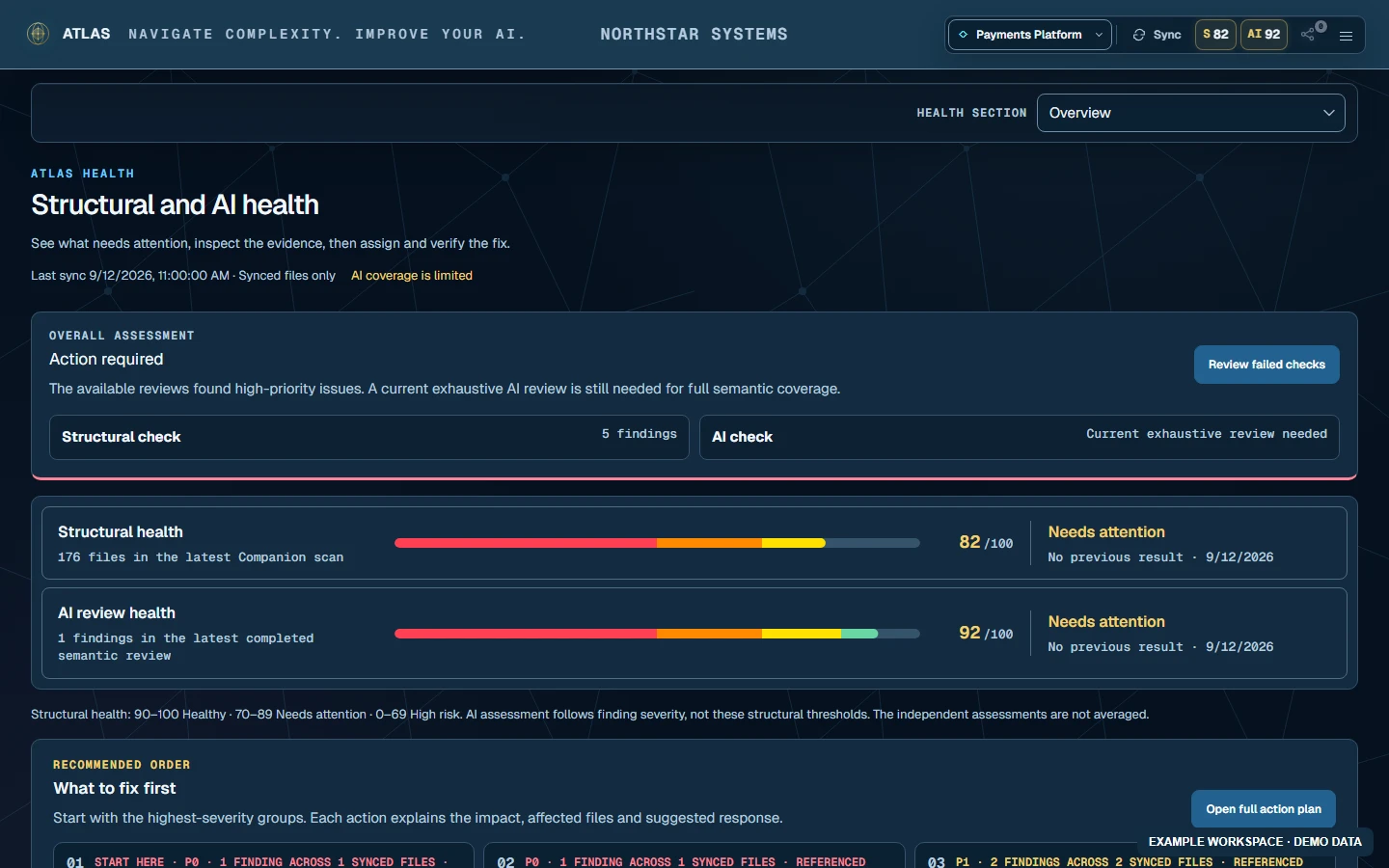
AI REVIEW
Depth when you choose it.
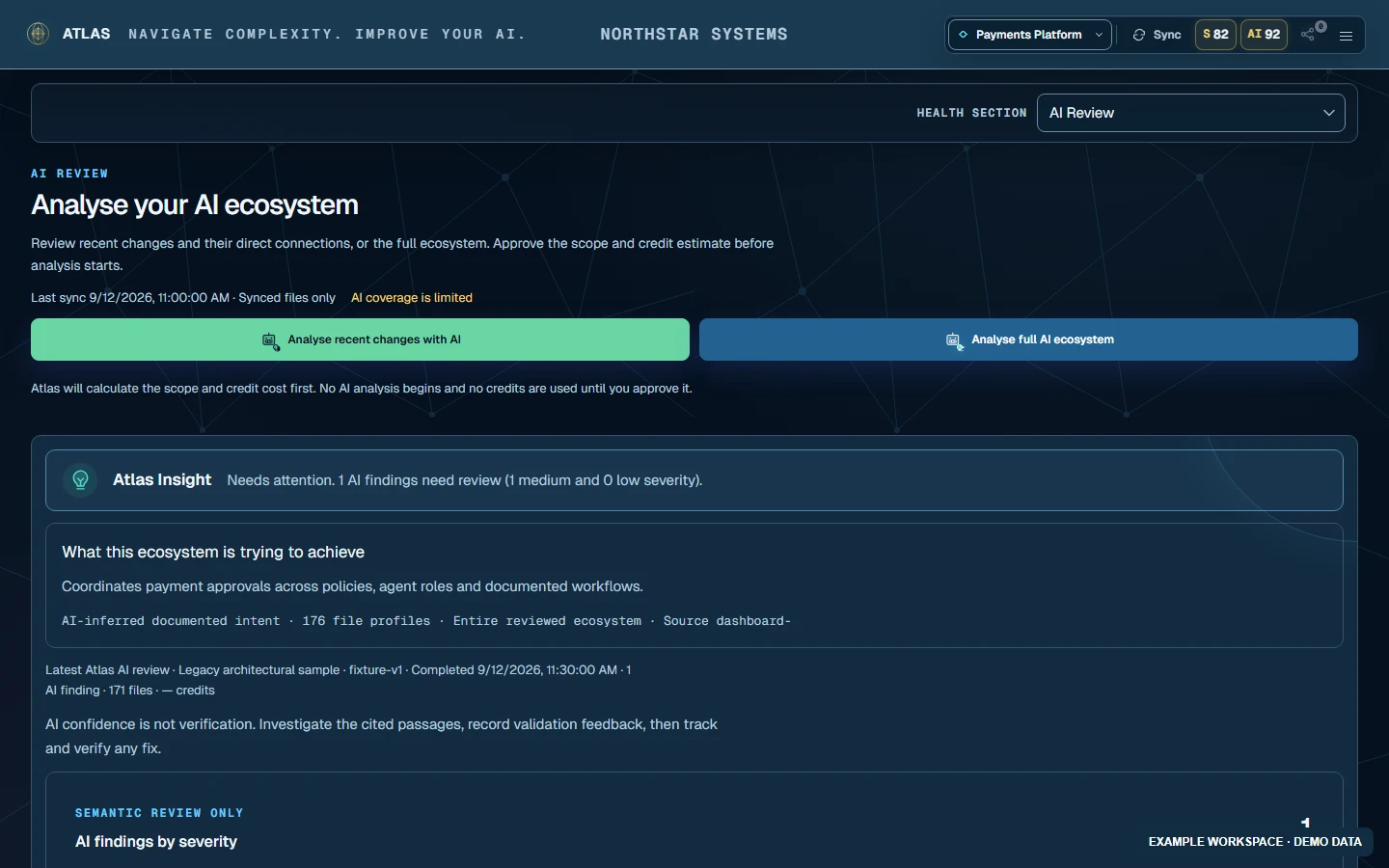
Review recent changes or the full ecosystem. Approve scope and credit estimate first; investigate findings with cited file evidence.REPAIR + ACTION
Findings become focused work.
Prepare a tailored repair prompt for your coding AI, assign an issue and track it. Sync the changed files to check the structural outcome.One connected workflow
Discover. Understand. Act.
- 01DISCOVER
Connect your source
Use the Windows Companion for local files or connect a GitHub workspace. Structural discovery syncs metadata; source content is shared separately when you approve an AI review.
- 02UNDERSTAND
Explore every relationship
Move from the whole universe into focused flows and individual connections without losing context.
- 03MEASURE
Make health visible
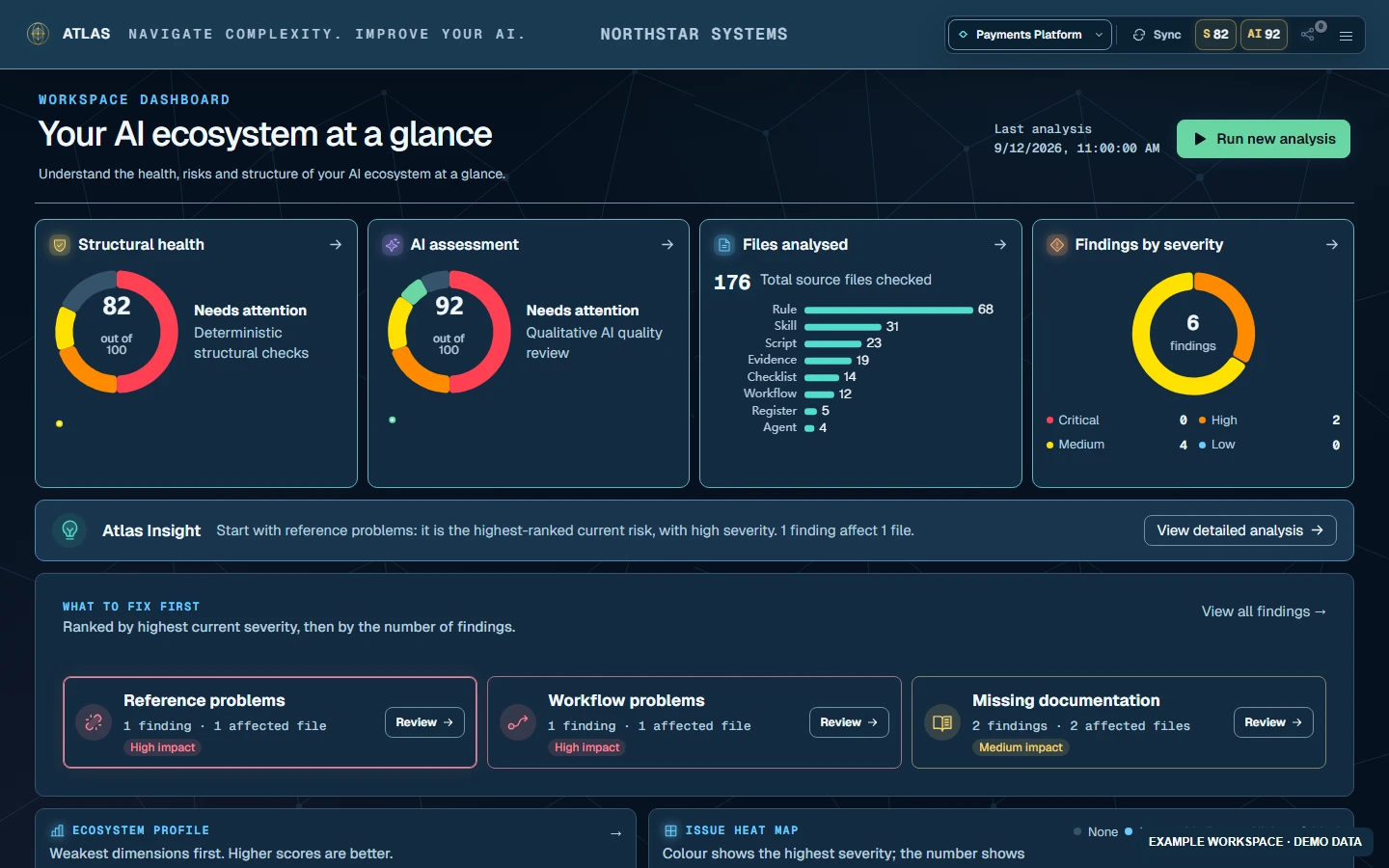
Track structural findings, readiness and change over time with deterministic evidence.
- 04IMPROVE
Review, repair, verify
Approve AI Review deliberately, inspect the evidence and use a tailored repair prompt where available. Atlas keeps the last completed results visible and marks them out of date when files change.
Built for real AI ecosystems
More than a picture of your files.
Catch problems between files.
AI Review looks for contradictions, overlap, overloaded responsibilities, ambiguous instructions, missing workflow steps, broken handoffs, unclear completion criteria and unsafe action permissions. Findings are potential risks to investigate—not proof of runtime failure.
Set the checks that matter.
Workspace owners and organisation admins can enable or disable structural and AI checks per workspace. See which checks were used for a saved result.
Keep the team in context.
Assign findings, track decisions and follow review history. Atlas Insights highlight the next useful action, while impact views help you follow connected files.
See progress, share the overview.
Follow score history, compare AI review detections and create an executive report without making stakeholders read every finding. A finding not detected again is not automatically a verified fix.

Stay connected
Be part of
what’s next.
Atlas is in development. Register your interest for product news and information about future availability.
No payment. No password. This does not create an Atlas account or guarantee access.